
Learning the fundamentals of C# programming is the crucial first step whether you want to build heavy-duty enterprise software, design websites, or script video games in Unity. I remember staring blankly at my first script, totally overwhelmed by the syntax, but once you break it down into small pieces, it clicks very quickly. In this post, I will walk you through the core building blocks of writing C# code. You will learn about variables, if conditions, functions, loops, collections, enums, and classes in a straightforward, highly practical way.
How to start writing C# code?
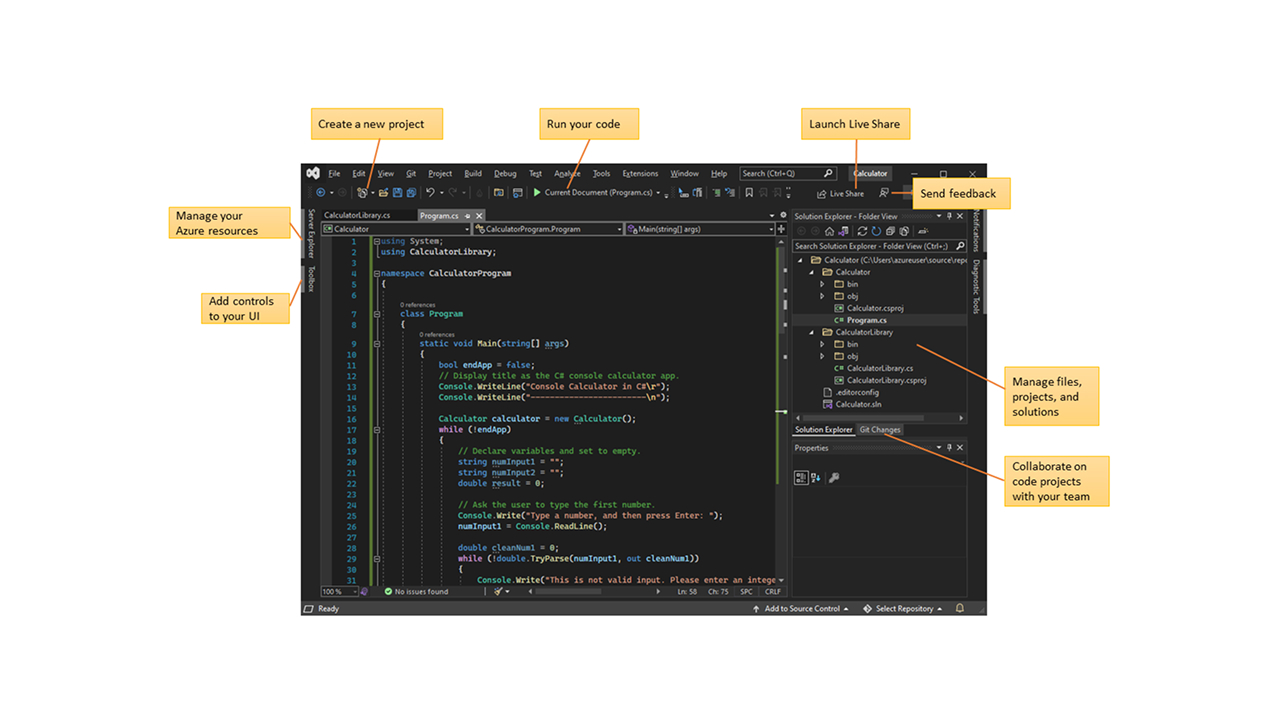
You need an environment where you can write and compile your code. The easiest route is using Visual Studio, which offers a robust free version. Creating a simple console app is the best way to start experimenting with C#.
When you generate a console app, it provides a basic startup file containing a main function. To run your code, just click the start button at the top of the window. The code compiles, executes, a console window pops up, and then immediately closes.
If you are diving into game development with Unity, the code operates almost exactly the same way. The only difference is that instead of a console app, your code runs directly inside a game engine.
How to print messages to the screen?
One of the most frequent operations you will perform is printing messages. You access the console and execute the WriteLine function, feeding it the exact text you want to print. The program spits out the message and immediately shuts down.
To prevent the program from closing instantly, you can drop the Console.ReadKey() line at the very end of your code. This stops the console from vanishing, allowing you to comfortably review your output. I spent an embarrassing amount of time wondering why my programs were “crashing” before I realized I just needed this line.
Variables and data types
Variables are the absolute foundation of programming. Think of them as containers that hold data. To declare a variable, you type these out in order:
- Type
- Name
- Optional initial value
For instance, you can define a variable of type int, name it i, and assign it the value 56.
Core data types
- int: For whole numbers
- float: For numbers with decimal points
- double: Also for decimal numbers, but offers much higher precision
- bool: For boolean logic values like
trueandfalse - char: For a single character
- string: For a sequence of characters, meaning raw text
These are just the core types; you will discover many more as you dive deeper into the language.
String concatenation
You can merge strings together using the + operator. For example, you can print a message and tack the variable i right onto the end of it to see the variable’s contents directly in the output.
Functions
Functions are another core building block. When defining a function, you must declare its return type first. If it returns absolutely nothing, you use void. Then comes the function name, followed by parentheses containing any parameters.
- A function might return nothing and take zero parameters.
- Another function might require an
intparameter and return a calculated value.
To use a function, you simply type its name and feed it the required parameters inside the parentheses.
Static functions
If you try to call a non-static function from inside a static function, the compiler will throw a hard error. The concept of static contexts is a bit advanced, so do not stress over it right now. The easiest fix is just to make your other functions static as well.
If a function returns a value, you can easily capture and store that value inside a basic variable.
If conditions
In an if structure, you type the if keyword, followed by your condition in parentheses, and then open and close a block of code using curly braces. The condition is just an expression that evaluates to either true or false.
Comparison operators
- Less than (
<) - Greater than (
>) - Equal to (
==) - Less than or equal to (
<=) - Greater than or equal to (
>=) - Not equal to (
!=)
The exclamation mark means “not”. You can use a function that returns a boolean as your condition and flip the result just by slapping an exclamation mark in front of it.
Combining conditions
- AND: Using two ampersands (
&&) - OR: Using two pipes (
||)
You can group these conditions using parentheses. For example, in a condition like “if i is less than zero AND i equals 5″ OR “if i is greater than 10 AND i equals 15″, the expressions inside the parentheses are evaluated first, followed by the overarching OR statement.
Using Else
If the condition proves true, the code block executes. If the condition is false, you dictate what happens next by writing else followed by a second code block. For instance, if you set the value of i to 15, the initial condition fails, and the else block kicks in to print a false output.
Conditional logic with Switch
Another way to handle conditional logic is the switch structure. You switch on a specific value and then write out various cases depending on what that value might be.
- For each case, type the
casekeyword followed by the specific value. - Write your desired code inside the case.
- Use
breakto signal that the case is finished. defaultis a special fallback case. It triggers if the value does not match any of your defined cases.
Collections: Arrays and Lists
Collections, like arrays and lists, are data types designed to hold multiple variables at once.
Array
To define an array, you state the type followed by square brackets. For example, you can define an int array. Because an array defaults to null, you must initialize it using new, and you must explicitly define its size here. A size-5 array can hold five integers, and every single position initializes with a default value of zero. I once forgot to define the size and spent twenty minutes trying to figure out why my code refused to compile.
You can also bypass defining the size by just passing the elements directly into it. Keep in mind that an array is a fixed-size collection.
List
If you need a collection with a dynamic size, use a list. You define the type inside angle brackets. Since a list also defaults to null, you must instantiate it using new List. You can also populate it with some initial values right out of the gate.
The core difference between an array and a list boils down to this: an array has a strictly fixed size, while a list can expand and contract. You can freely add and remove values from a list whenever you want.
Loops
Foreach
The absolute easiest way to iterate through a collection is using a foreach loop. You write foreach, define the iterator variable, and pass in the collection you want to navigate. This structure works flawlessly on both arrays and lists.
For
A for loop consists of three specific sections separated by semicolons:
- First section: Initializes the iterator variable.
- Second section: The termination condition. If this evaluates to false, the loop completely stops.
- Third section: Executes after every loop iteration and usually increments the iterator.
A list’s Count property gives you the total number of elements inside it. You can use this to iterate through the list and print out both the index position and the element sitting at that position.
While and Do-While
In a while loop, you type the while keyword, followed by the condition, and then your code block. As long as the condition remains true, the code block will repeatedly execute. For example, you can easily set up a loop to run exactly 5 times.
A do-while loop is incredibly similar, but it checks the condition at the very end instead of the beginning, guaranteeing the code runs at least once.
Comments
For a single-line comment, use two forward slashes (//). To open and close multi-line comments, use a separate syntax (/* and */).
Comments are handy for dropping text directly into the code. However, you must keep clean code principles in mind: your code should be highly readable and fully understandable without relying heavily on comments. If your logic is confusing, rename your variables and refactor your logic to make your intentions crystal clear.
Enum structures
You can define your own custom types. One of the most useful is the enum. You type the enum keyword followed by its name. An enum is just a hardcoded list of specific values. A variable of this type can only hold the exact values defined in that list.
Enums are incredibly useful for running a simple switch statement across specific states.
Classes
Because C# is a strictly object-oriented language, you can build your own classes. You type the class keyword followed by the name. To generate an object of this type, you state the type, then the name, and instantiate the object using new.
By default, there is a parameterless constructor, but you can write your own custom constructor. You can define fields and functions directly inside the class.
Accessors and scope
Accessors
There are two primary accessors: public and private.
- private: The function can only be accessed from within that specific class. If you try to call it from the outside, the compiler blocks you with an error.
- public: The function can be accessed freely from the outside.
If you don’t specify anything—like in the case of void Main—the default accessor defaults to private. Accessors apply to fields just as they do to functions. If you try to modify private fields from the outside, you will hit an error. I learned this the hard way when my UI script kept crashing because it couldn’t read the private health variable from my player script.
Variable scope
A variable defined inside a function exists purely within that specific function. For instance, if you define int i in one function and try to call it in another, you will trigger an error because i does not exist in that context. The variable is only valid from the exact spot it is declared until the very end of its specific code block.
If you desperately need to use a variable across multiple functions, you can define it as a member variable at the very top of the class. This makes it globally available to all the functions listed below it.